Jewelry photography guide
Jewelry Retouching in Photoshop: A Professional Workflow
A jewelry image leaves the camera about eighty percent finished. The remaining twenty percent, done in Photoshop, is what separates a good capture from an advertising image: dust and scratches removed, metal gradients smoothed, facets cleaned, supports erased, color checked, and the file sharpened and sized for its use. Retouching cannot rescue bad lighting, but it decides whether good lighting looks professional. This guide lays out a practical workflow, from the first selection to the final export, built on the same Photoshop foundations the course covers in its Image Editing chapter.
Before retouching: the file
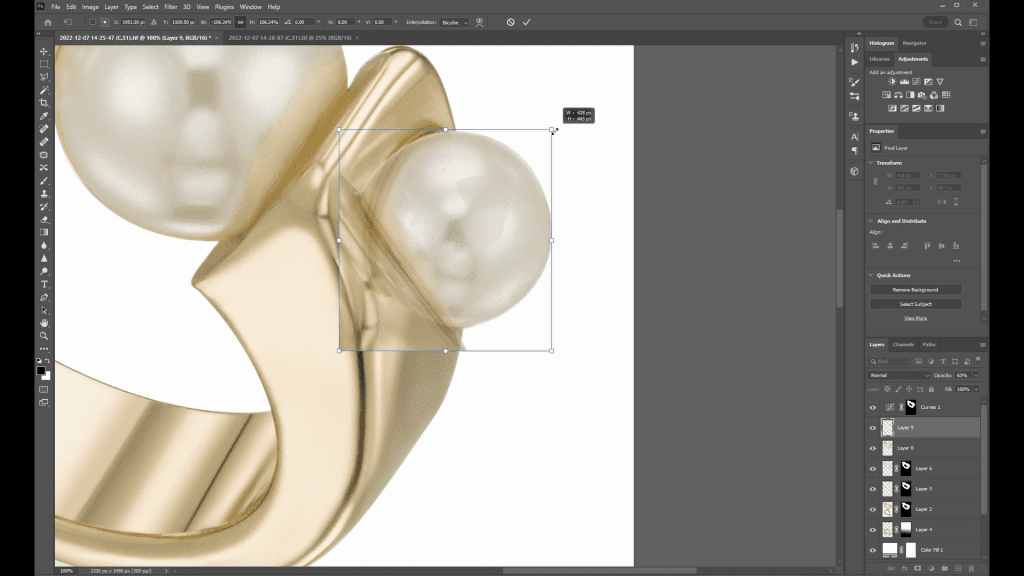
Retouching starts with the best possible capture: a raw file, or a focus stack merged in Helicon Focus, opened at full resolution. Work on a copy, never on the only version, and build the retouch in layers so every step can be revisited. The course spends its Image Editing chapter on exactly this foundation, seven short lessons on selections, brushes, layers, adjustment layers, sharpening and resizing, before the jewelry-specific lessons begin.
Step 1: selections
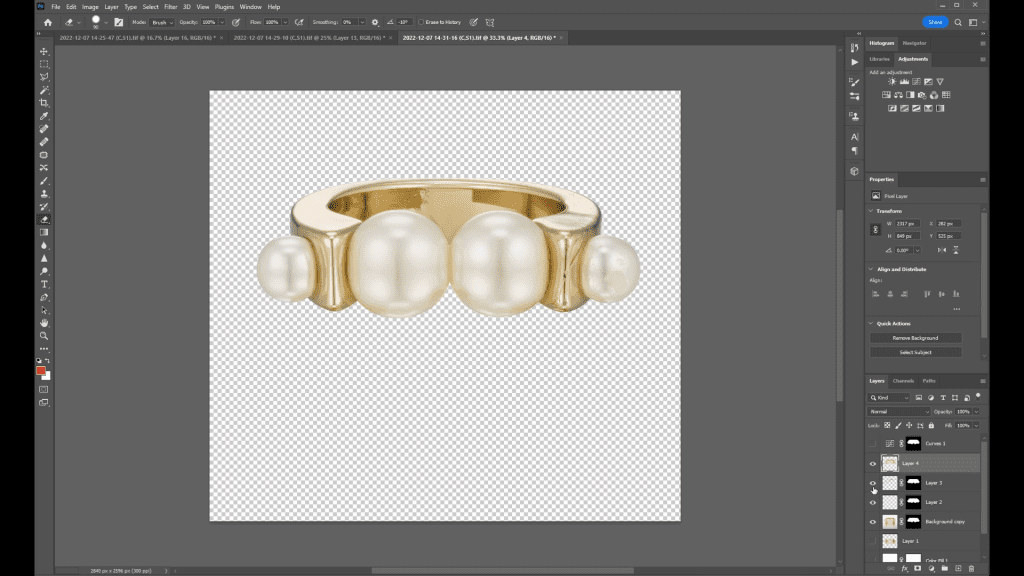
Almost every jewelry retouch begins by separating the piece from its background. Jewelry has hard edges and clear boundaries, so the Pen tool is the standard: a precise path around the piece, converted to a selection and saved. The path is reused many times: to protect the background while the metal is worked on, to place the piece on a new background, and to mask adjustments to the stone without touching the setting. Interior areas, the gap inside a ring or between chain links, are drawn as separate sub-paths.
Step 2: cleaning
With the piece selected, cleaning begins at high magnification. Dust, fibers and small scratches are removed with the Healing Brush and the Clone Stamp, always on a separate layer so the original stays untouched beneath it. Supports are erased: putty under a ring, a wire behind a necklace, a clip behind an earring. Reflections of the camera or the room that could not be controlled on set are painted out with sampled metal from nearby.
The rule is to remove what is not the piece and keep what is. A hallmark, a maker’s mark, the texture of brushed metal and the natural inclusions in a pearl stay; a fingerprint, a polishing scratch and a dust speck go. Over-cleaning produces the plastic look that the course warns against on its sales page: metal that has lost its surface and no longer reads as metal.
Step 3: metal gradients and edges
Polished metal looks right when its gradients are smooth and its edges are defined. On set, the gradients come from the lit diffusion panel; in Photoshop they are refined, not invented. Small breaks in a gradient, where a card edge or a gap in the set showed on the band, are smoothed with low-opacity brushes sampling the tones on either side. Edges that lost contrast are given a thin dark line where the black card reflection should have been. Working at low opacity with many strokes keeps the result believable.
Step 4: stones and pearls
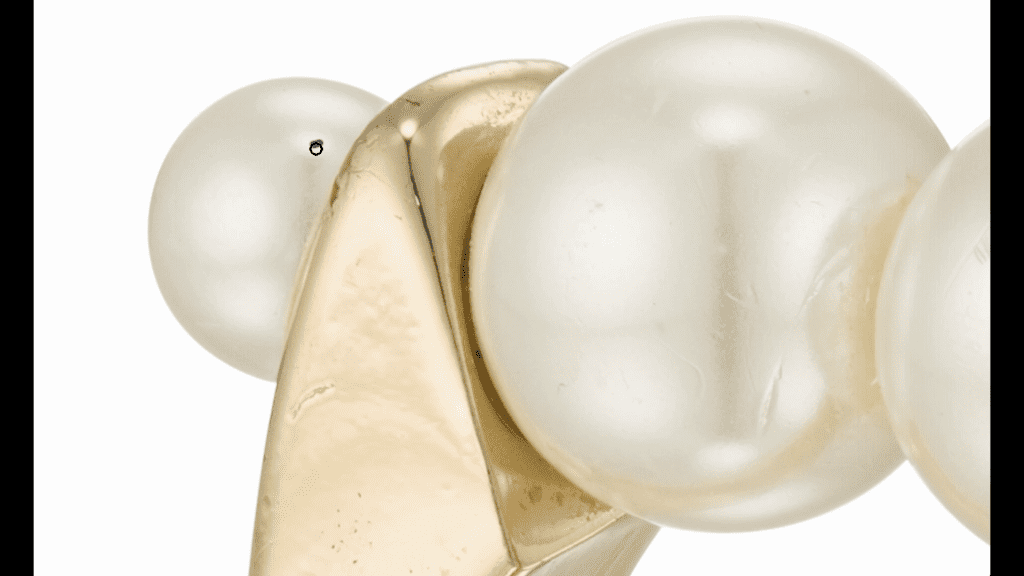
Facets are cleaned one at a time: a dust speck on a facet is far more visible than one on the metal. The brightest facets may be lifted slightly to strengthen the sparkle, and a dull table facet evened out. Pearls are treated in the opposite way: their soft highlight and the gentle fall-off around it are protected, and only surface blemishes are removed. Pave and small stones are checked for consistency, because a single dark stone in a row of bright ones draws the eye.
Step 5: adjustment layers
Tone and color are handled with adjustment layers, never by editing pixels directly. Curves and Levels set the overall brightness and contrast; Hue/Saturation and Selective Color correct a cast on white metal or deepen the warmth of gold; a masked adjustment can brighten the stone without touching the band. Because the layers are non-destructive, a client’s request to make the gold a shade warmer is a thirty-second change rather than a new retouch. The course’s Changing Colors lesson pushes this further, turning one metal color into another.
Step 6: background
The cleaned piece is placed on its final background using the saved path. For e-commerce that is usually pure white with a soft, natural shadow or a reflection that matches the one captured on set. For advertising it can be a gradient, a color or a textured surface, and the reflection and shadow are rebuilt to match. The contact point between the piece and its surface is where composites fail, so it gets the most attention.
Step 7: sharpening and resizing
Sharpening is the last creative step and is done for the output size, not the working size. A file for a product page is resized first and then sharpened lightly; a file for print is sharpened differently from one for a screen. Oversharpening shows as bright halos along the edges of metal, which is the most common giveaway of amateur jewelry retouching. The course’s Image Editing chapter includes separate lessons on sharpening and resizing.
Watch the process
Two free tutorials from Ivan Moshe’s channel walk through a complete jewelry retouch: How to Retouch Jewelry Images in Photoshop and Part 2.
Learn the full retouching workflow
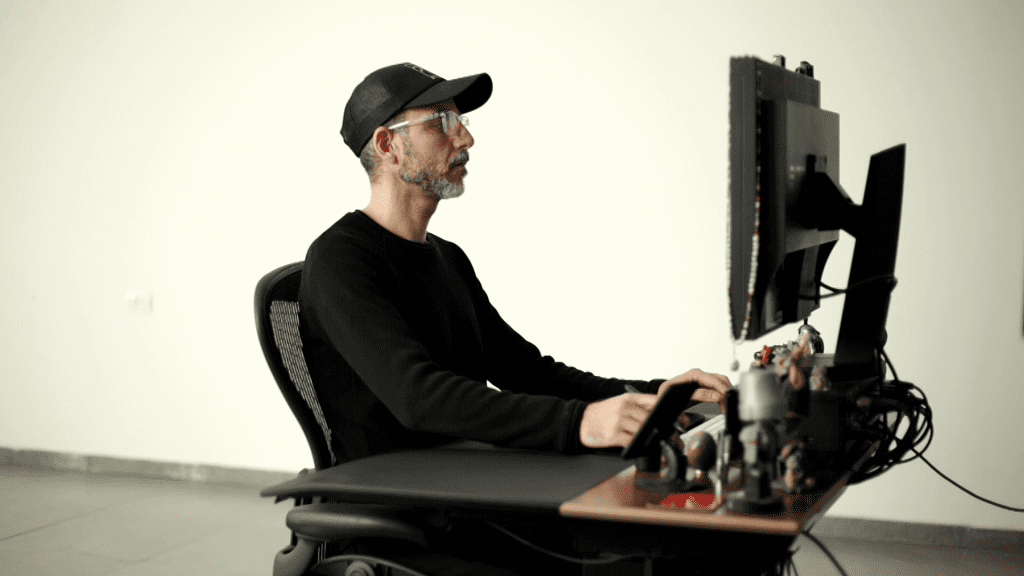
Mastering Jewelry Photography devotes three of its twelve chapters to retouching: seven lessons on Photoshop foundations, ten lessons retouching real rings, bracelets, earrings and necklaces including a lesson on changing colors, and a lesson on when and how to outsource editing. Together with the lighting and capture chapters that is 49 lessons and about 6 hours 15 minutes of video. One-time payment of $99, lifetime access.
Related guides
- Changing Jewelry Metal Colors in Photoshop: yellow, rose and white gold from one capture
- How to Calibrate Your Monitor for Jewelry Photo Editing: white point, brightness and profiles
- Focus Stacking for Jewelry Photography: Full Guide: keeping a whole piece sharp from front to back
- How to Photograph Rings: lighting, focus and composition
About the author
Ivan Moshe is a commercial photographer and high-end retoucher who has photographed products for the advertising industry for more than 15 years, from his studio in Tel Aviv’s Diamond District. He was selected for Lürzer’s Archive 200 Best Ad Photographers Worldwide in 2021/22 and 2023/24, and he teaches Mastering Jewelry Photography, the online course these guides are drawn from.