Jewelry photography guide
Camera Settings for Jewelry Photography: Sharpness and Exposure
Jewelry photography settles most camera settings once and leaves them alone. The piece does not move, the lights do not change, and the camera lives on a tripod, so the usual trade-offs between shutter speed, aperture and ISO almost disappear. What remains is a small set of decisions that decide sharpness and exposure, and getting them wrong costs more at macro scale than anywhere else. This guide lists the settings, explains why each is chosen, and points to the two problems that catch most beginners: depth of field and diffraction.
The settings, in one list
- Mode: manual. Nothing in the frame changes between shots, so nothing should be left to the camera.
- ISO: the camera’s base value, usually 100. Jewelry is lit and static, so there is never a reason to add noise.
- Aperture: the lens’s sharpest, typically f/8 to f/11 on full frame. Depth comes from focus stacking, not from f/22.
- Shutter speed: whatever the exposure needs. On a tripod with continuous light, a one-second exposure is fine.
- White balance: fixed, set from a gray card under the working light. Never auto, which drifts between frames.
- File format: raw. Metal highlights and stone shadows span a wide range, and raw keeps both.
- Focus: manual, on a tethered screen at 100 percent. Autofocus locks onto reflections.
- Stabilization: off on the tripod. Release: from the tethering software or a remote, never by hand.
Aperture: sharpness against depth
The aperture is the one setting that is a real compromise. At macro distances depth of field is a few millimeters at f/8; stopping down to f/22 roughly doubles it but softens the whole image through diffraction, the bending of light at the edges of a small aperture. The result at f/22 or f/32 is more of the ring in focus and none of it truly sharp. The professional answer is to stay at the sharpest aperture and capture a focus stack, a series of frames focused progressively deeper, merged into one image. Two free tutorials from the course’s instructor explain the trade-off: Controlling the Depth of Field and The Effects of Diffraction.
Exposure: protect the highlights
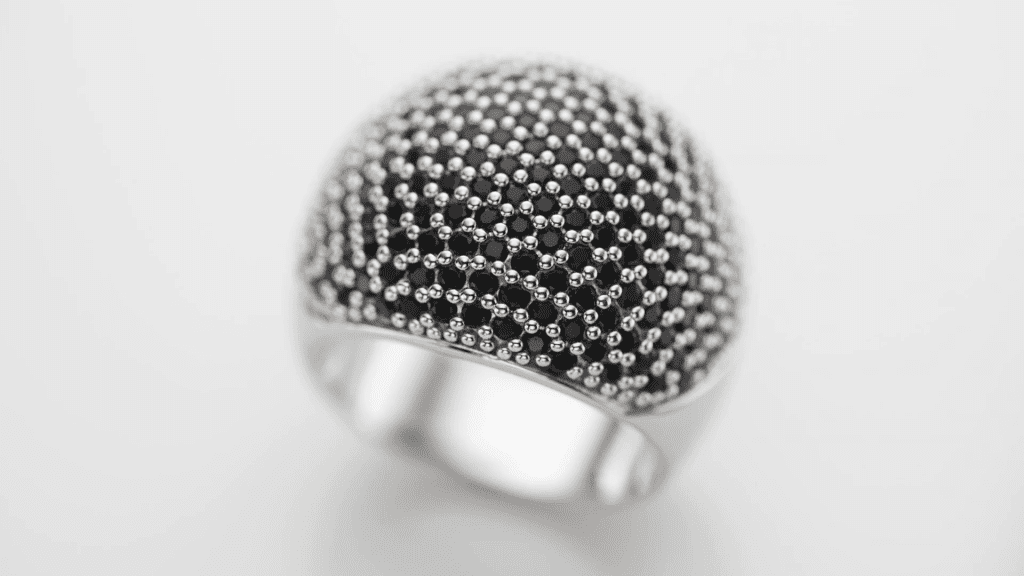
Polished metal and faceted stones produce specular highlights, direct reflections of the light source that are far brighter than anything else in the frame. If they clip to pure white they lose the subtle gradient that makes metal look polished, and no retouching brings it back. Expose so that the brightest reflections on the metal sit just below clipping, using the histogram and the highlight warning on the tethered screen rather than the camera’s meter, which is fooled by the dark background and the bright metal. The darker parts of the piece are recovered from the raw file in processing; the sensor’s dynamic range is one of the topics of the course’s Camera chapter.
White balance: fix it, then check it
Gold, rose gold and white metal are judged by their color, and auto white balance will change that color from frame to frame as the camera reacts to what fills the screen. Set a custom white balance from a gray card placed in the set under the working light, keep it for the whole session, and confirm on a calibrated monitor that white metal reads neutral. Mixed sources, a daylight window plus a warm lamp, are avoided entirely; the set is lit by one kind of light.
Vibration: the invisible blur
At high magnification the smallest movement blurs the frame: the shutter button being pressed, the mirror of a DSLR slapping up, a footstep on a wooden floor, a light stand being bumped. The camera is triggered from the tethering software or a remote release, with mirror lock-up or the electronic shutter where the camera offers it, and nobody touches the table during a stack. Long exposures under continuous light are not a problem on a tripod; vibration is.
Sensor size
The course’s Camera chapter includes a lesson on the sensor, and sensor size changes the numbers above. A smaller sensor needs less magnification to fill the frame with the same ring, which gives slightly more depth of field at the same aperture, but diffraction appears earlier, so the sharpest aperture is wider. The settings are the same in principle on any camera; the exact aperture and the number of frames in a stack depend on the sensor and lens in use.
A check before every stack
- Manual mode, base ISO, sharpest aperture, custom white balance, raw.
- Focus manually on the nearest point you want sharp, at 100 percent on the tethered screen.
- Check the histogram: metal highlights just below clipping.
- Stabilization off, remote or software release, mirror up or electronic shutter.
- Nothing touches the table from the first frame to the last.
See the camera and lens chapters
Mastering Jewelry Photography covers the camera and its sensor in four theory lessons and lenses in three, before the practical chapter puts the settings to work on the mirror, the metal sphere, rings, bracelets, earrings and necklaces, and the free Focus Stacking lesson shows how depth is extended without giving up sharpness. 49 lessons across 12 chapters, one-time payment of $99, lifetime access.
Related guides
- Choosing a Lens for Jewelry Photography: macro, focal length and sharpness
- Focus Stacking for Jewelry Photography: Full Guide: keeping a whole piece sharp from front to back
- Tethered Shooting for Jewelry Photography: a practical workflow
- How to Photograph Jewelry: Professional Lighting Techniques: the principles behind every setup
About the author
Ivan Moshe is a commercial photographer and high-end retoucher who has photographed products for the advertising industry for more than 15 years, from his studio in Tel Aviv’s Diamond District. He was selected for Lürzer’s Archive 200 Best Ad Photographers Worldwide in 2021/22 and 2023/24, and he teaches Mastering Jewelry Photography, the online course these guides are drawn from.