Jewelry photography guide
Tethered Shooting for Jewelry Photography: A Practical Workflow
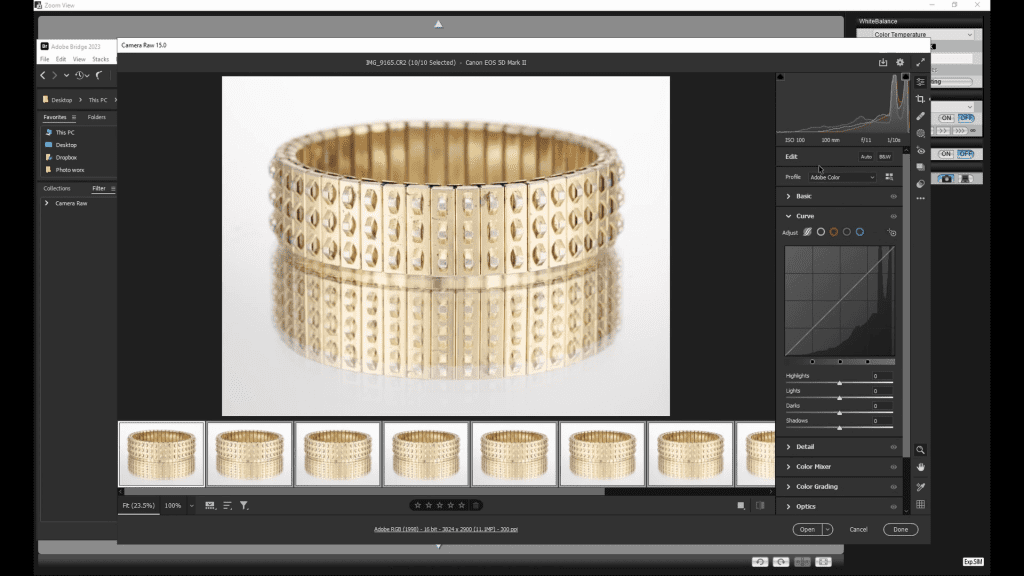
In jewelry photography the camera is on a tripod, the piece is a few centimeters away, and the decisions are made in millimeters: a card moved slightly, focus stepped a fraction deeper, a reflection on a facet judged at full size. None of that can be done on a three-inch rear screen. Tethered shooting connects the camera to a computer so every frame appears on a large calibrated monitor the moment it is taken, and so the camera can be triggered and focused without being touched. This guide covers how professionals set it up and use it.
What tethering changes
- Judgment: reflections, gradients and dust are seen at 100 percent on a calibrated screen, not guessed from a small preview.
- Stability: the camera is triggered from the software, so the shutter is never pressed by hand and the set is never nudged.
- Focus: on cameras that support it, focus is driven from the computer in precise steps, which is how focus stacks are captured.
- Workflow: files go straight to a named folder on the computer, with the client, the piece and the view already in the file name.
- Collaboration: a client or art director can watch the frame build on the monitor instead of looking over the photographer’s shoulder.
The connection
The simplest setup is a cable from the camera to the computer, using the manufacturer’s capture software or a general tethering application. A long, good-quality cable with a strain relief or a clamp on the tripod protects the camera port, which is the most fragile part of the chain. Wireless tethering exists but adds delay and drops frames at the high resolutions jewelry work uses; a cable is the professional default for studio work.
On the computer side, tethering software needs three things set before the first frame: the destination folder, the file naming, and the capture format. Jewelry is captured raw, so the software should display a rendered preview quickly enough to judge each frame without waiting.
Setting up the capture
- Mount the camera on the tripod, connect the cable, and start the capture software before turning the camera on.
- Create a folder for the session and a naming pattern that includes the piece and the view, so a focus stack of forty frames is still readable later.
- Switch the camera to manual focus, manual exposure, a fixed white balance and base ISO. Turn off image stabilization.
- Take a test frame and open it at 100 percent on the monitor: check focus on the nearest point, dust on the piece, and the reflections on every surface.
- Adjust the set, not the camera, and repeat until the frame is right. Only then begin the capture or the stack.
Tethering and focus stacking
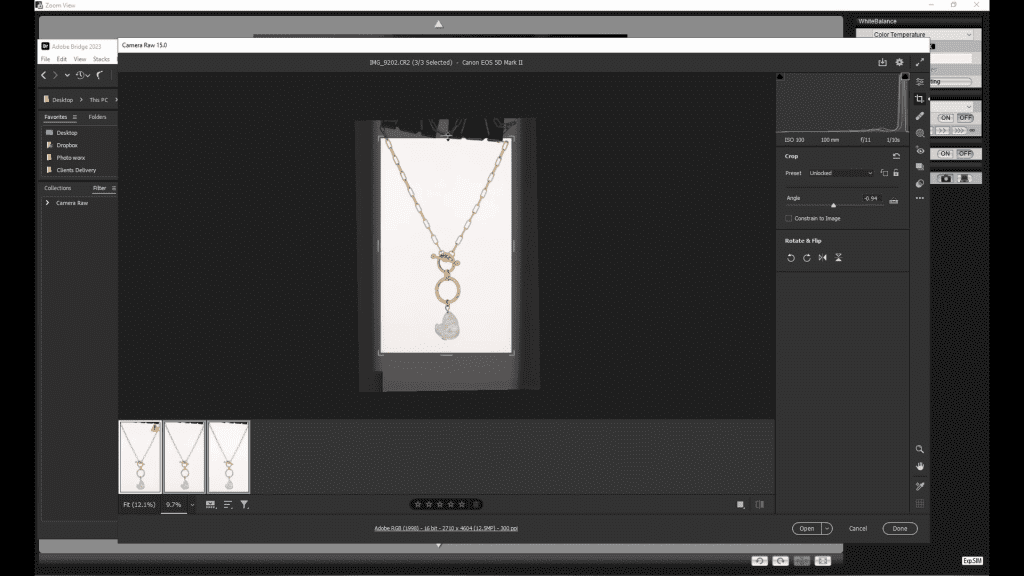
Tethering is what makes focus stacking practical. The software, or the camera’s own bracketing function triggered through it, moves focus in equal steps and takes a frame at each step, while the camera stays untouched. Each frame appears on the monitor so the photographer can confirm that the sharp zone has moved deeper into the piece and that nothing on set has shifted. The frames are already in a named folder in order, which is exactly what Helicon Focus needs for the merge. The full capture method is in the Focus Stacking guide, and the complete lesson from the course is free to watch.
Judging the frame on screen
The monitor shows more than the viewfinder, but only if it is trusted: a calibrated screen is part of the tethered setup, not an accessory to it. At 100 percent, the things to check in order are focus on the intended point, dust and fibers on the piece, the reflection of the camera or the room on polished surfaces, the gradient on the metal, and the facets on any stone. A frame that passes all five is ready for the stack; most frames fail at least one on the first attempt, which is the point of looking.
Common problems
- The camera disconnects mid-stack: usually the cable or its port; secure the cable to the tripod and keep it away from stands and feet.
- The preview lags: lower the preview resolution in the software or capture to a faster drive; do not switch to JPEG capture.
- Frames are out of order in the folder: check the naming pattern before the stack, not after.
- The set moved between frames: nothing may be touched during a stack, including the table and the floor around it.
- Image stabilization left on: it can shift the framing slightly between frames on a tripod and ruin a stack.
Learn the tethered workflow
The Computer and Software chapter of Mastering Jewelry Photography includes a lesson on shooting tethered alongside monitor calibration, Helicon Focus and Photoshop, and the practical lessons on the metal sphere, bracelets, earrings and necklaces show the capture on a tethered screen. 49 lessons across 12 chapters, one-time payment of $99, lifetime access.
Related guides
- Focus Stacking for Jewelry Photography: Full Guide: keeping a whole piece sharp from front to back
- Camera Settings for Jewelry Photography: sharpness and exposure
- How to Calibrate Your Monitor for Jewelry Photo Editing: white point, brightness and profiles
- Jewelry Photography Studio Setup: lighting, grip and workspace
About the author
Ivan Moshe is a commercial photographer and high-end retoucher who has photographed products for the advertising industry for more than 15 years, from his studio in Tel Aviv’s Diamond District. He was selected for Lürzer’s Archive 200 Best Ad Photographers Worldwide in 2021/22 and 2023/24, and he teaches Mastering Jewelry Photography, the online course these guides are drawn from.