Jewelry photography guide
Jewelry Photography Studio Setup: Lighting, Grip and Workspace
A jewelry studio is small, dark and full of stands. The subject is a few centimeters across, so the whole set fits on a table, but every element around that table has to be held precisely in place for the length of a focus stack: the lights, the diffusion panel, a dozen cards, the camera and the piece itself. This guide describes the setup professionals work with, built in the order the course covers it: lighting, grip, then the computer the camera is tethered to.
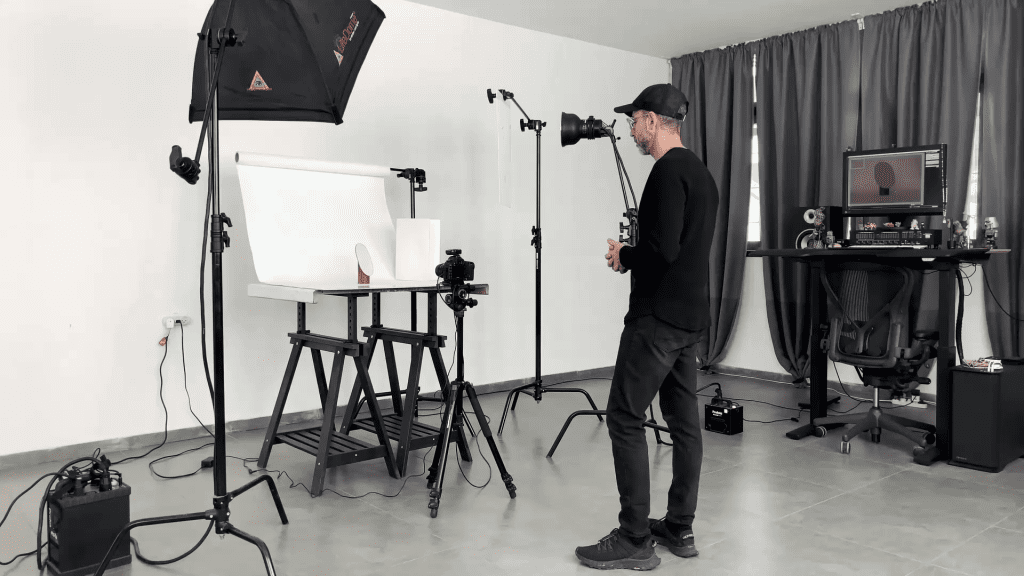
The table and the surfaces
The set is a sturdy table at a comfortable working height, because the photographer spends hours bent over it adjusting cards by millimeters. On it sits the surface the piece is photographed on: a sheet of white acrylic for a soft reflection, black acrylic for a dark mirror, matte paper or card for no reflection at all, or a textured material for advertising work. Several surfaces are kept to hand, because the surface is chosen per piece and per brief.
The room itself should be dark and neutral. Windows are blacked out or the set is placed away from them, because daylight changes through the day and appears in every polished surface. Dark walls or black fabric around the set keep the room out of the reflections; the guide on controlling reflections explains why this matters more for jewelry than for any other product.
Lights
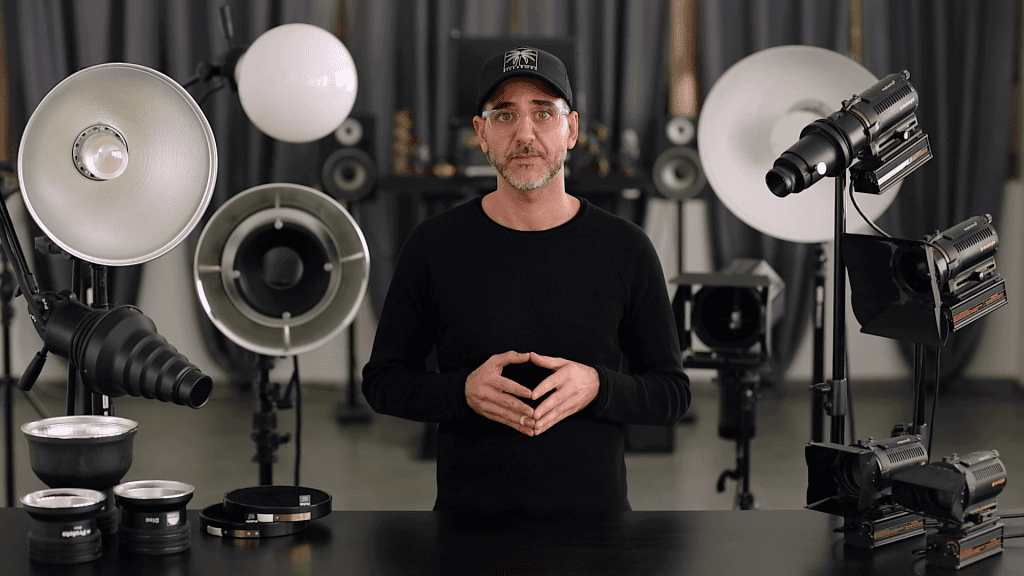
Jewelry is static, so continuous light is the practical choice: what the eye sees on the tethered monitor is what the camera records, and a card moved a centimeter shows its effect immediately. The course demonstrates focusable fresnel fixtures, Dedolight in its own setup, because a focusable spot can be narrowed to a hard beam for a stone or opened to light a diffusion panel evenly. Two or three such lights cover most pieces: one for the main panel, one for the stone, one spare for an accent or a background.
The light rarely reaches the piece directly. It is aimed at a diffusion panel, a softbox or a white card, and the piece reflects that. So the diffusion material is as important as the lamp: a large translucent panel on a frame, a softbox, and sheets of diffusion fabric in several sizes. Modifier size is chosen for the piece: a bracelet needs a much larger panel than a ring.
Cards, flags and the small tools
The cheapest items do most of the work. Black and white cards in several sizes, from a few centimeters to half a meter, are placed around the piece to decide which surfaces reflect dark and which bright. Black flags block light from a background. Small mirrors can throw a hard accent into a stone. Museum wax or putty holds rings upright and keeps bracelets from rolling. Fine wire, thread and clips hold earrings and necklaces. A blower, a soft brush, gloves and a steamer keep the piece clean, which is a lesson of its own in the course.
Grip: holding everything in place
Grip equipment is the stands, arms and clamps that hold the lights, panels and cards exactly where they were placed, which is why the course gives it a dedicated lesson. A set for a single ring can involve a light stand for each lamp, a boom or an articulated arm for the panel above the piece, and several small arms with clamps for cards, each of which must not move during a stack of forty frames. Flexible arms with clamp heads, small stands with a heavy base, and clamps that grip a card without bending it are the items used most.
The camera support is grip too. A heavy tripod with a geared head makes the millimeter adjustments of framing and tilt repeatable, and a macro focusing rail allows the camera to be moved forward in equal steps for focus stacking. Everything that touches the table, the tripod included, is kept off the table itself so that a touch to a card does not reach the camera.
The tethered workstation
Beside the table, within arm’s reach, sits the computer the camera is tethered to, with a calibrated monitor large enough to judge a frame at 100 percent. Capture software triggers the camera and, with focus stacking, steps the focus. Helicon Focus merges the stacks and Photoshop finishes the files, usually at a separate retouching desk with a tablet. The course’s Computer and Software chapter covers each of these in turn: monitor calibration, shooting tethered, Helicon Focus and Photoshop.
A minimal starting setup
- A sturdy table, a sheet of white and a sheet of black acrylic.
- One or two continuous lights, preferably focusable, with a diffusion panel or softbox.
- Black and white cards in several sizes, flags, putty, wire and clips.
- A heavy tripod, a macro lens, a cable release or tethering cable.
- A computer with capture software and a calibrated monitor; focus stacking software.
- A blower, brush, gloves and cleaning cloth for the pieces.
See the setup used in the course
Mastering Jewelry Photography shows Ivan Moshe’s own setup in use: four theory lessons on lighting, a lesson on grip equipment, a software chapter on calibration, tethering and Helicon Focus, and a practical chapter in which the mirror, the metal sphere, rings, bracelets, earrings and necklaces are photographed on that set, followed by the complete retouching of each piece. 49 lessons across 12 chapters, one-time payment of $99, lifetime access.
Related guides
- How to Photograph Jewelry: Professional Lighting Techniques: the principles behind every setup
- Photographing Reflective Jewelry: How to Control Reflections: the mirror, the sphere and the family of angles
- Tethered Shooting for Jewelry Photography: a practical workflow
- Camera Settings for Jewelry Photography: sharpness and exposure
About the author
Ivan Moshe is a commercial photographer and high-end retoucher who has photographed products for the advertising industry for more than 15 years, from his studio in Tel Aviv’s Diamond District. He was selected for Lürzer’s Archive 200 Best Ad Photographers Worldwide in 2021/22 and 2023/24, and he teaches Mastering Jewelry Photography, the online course these guides are drawn from.